
How to access the Wordpress admin account?

WordPress is a CMS software with an easy to access admin account and a simple to manage blog system. In order to access your WordPress account, you need to follow these instructions:

1. Open http://example.com/wp-admin (Replace "example.com" with your domain name) in your browser.

2. Enter your wordpress username and password in the login fields an click on "Login".
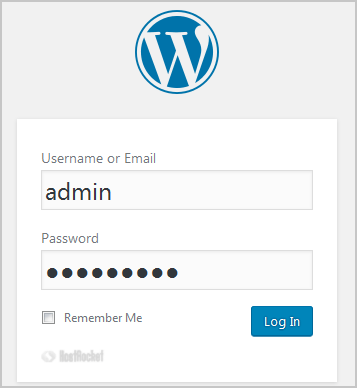
wordpress-login-dashboard.gif


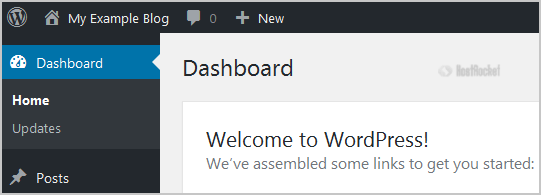
3. Wordpress will redirect you to the WordPress Admin Dashboard.wordpress-admin-dashboard.gif
  • 0 A felhasználók hasznosnak találták ezt
Hasznosnak találta ezt a választ?

Kapcsolódó cikkek

WordPress Form Mail via SMTP

WordPress Contact Form Mail via SMTP  Default WordPress settings use phpMail, an older...

utf8mb4 requires a newer client library error

While checking the WordPress ‘Site Health’ status page, you may see ‘utf8mb4 requires a newer...

WordPress Resources

Getting StartedWordPress Codex - New To WordPress - Where to StartWordPress Codex - First Steps...

Optimizing WordPress Sites

For a more general information on shared hosting resource limits, please refer to the following...

What Should I Do If I Receive a ‘Resource Limits Reached’ Error?

Why are there limits in place?Resource limits on shared servers are set and enforced with...