
How to remove sample comments, posts on a new WordPress blog?

If you installed a fresh WordPress blog system on your website ,before writing new posts, you will need to remove the sample comments, blog posts, etc. This can be done in the following way:


1. Login to your WordPress admin dashboard.
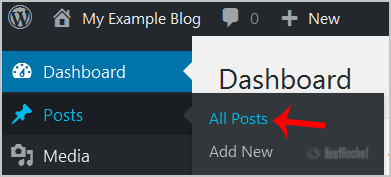
2. Under Dashboard Menu, hover your mouse on Posts and click on "All Posts".


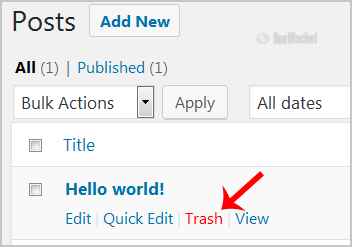
3. Hover your mouse on the "Hello World" post and the "Trash" option will appear. Click it to remove the post.


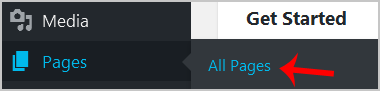
4. Now do the same with the sample page by pointing your mouse on "Page" in the Dashboard menu and then choosing on "All Pages".


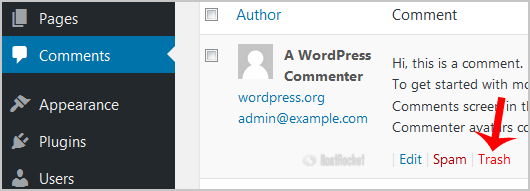
5. Choose "Comments" from the dashboard and then the "Trash" option will appear. Now click it.

After you take these steps, your blog will be clean, without sample posts and comments, and you can start blogging.

  • 0 Utilizadores acharam útil
Esta resposta foi útil?

Artigos Relacionados

How to Force Your Site to HTTPS

You can add the following code to your .htaccess file to force your site from HTTP to HTTPS....

How to remove a category in WordPress?

If you want to remove WordPress category then follow this instruction:1. Login to your WordPress...

How to Install WordPress on a subdomain Using Softaculous

Due to a DirectAdmin change within the structure of access to the subdomains, WordPress cannot be...

How to Delete/Remove a WordPress theme from the WordPress Dashboard?

We recommended you to remove unused themes. This is a good practice for protecting your WordPress...

Enabling WordPress debug mode

You can enable WordPress debug mode by accessing the wp-config.php file and changing the line...