How to edit or remove CNAME Record in cPanel using the DNS Zone Editor?


You can edit or remove CNAME Record from cPanel using the cPanel DNS Zone Editor which allows you to manage, remove or modify DNS records.


1. Log into your cPanel account. (eg: www.example.com/cPanel )
2. In the "Domains" section, click on the "Zone Editor" Icon.



Under "Domains", you can see many options below the "Actions" text.
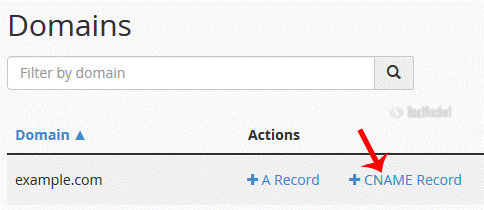


3. Click on "Manage" and the DNS records will be loaded on page.


4.
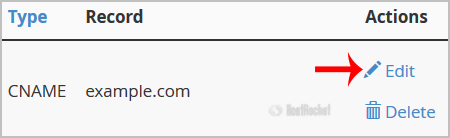
Locate CNAME Record you wish to edit or remove. Should you wish to edit a CNAME record, click the €œEdit€ option, modify the details and then click on €œSave Record€. Removing a record can be done with the €œDelete€ option.


Note: It may take anywhere from 12 to 24 hours for the changes to take effect worldwide.
  • 0 کاربر این را مفید یافتند
آیا این پاسخ به شما کمک کرد؟

مقالات مربوطه

How to create a new folder or files in the cPanel File Manager?

1. Log into your cPanel account.2. In the "Files" section, click on the "File Manger" Icon. 3....

How to Change cPanel Style/Theme?

Switching over to another cPanel theme with a different style is easy and there are two ways to...

How to check disk usage of directory and bandwidth usage?

If you are receiving a disk space usage warning and don't know which folder is using too much...

How Do I Use File Manager?

You can use File Manager to upload, remove, move, view, and edit files for your website. You can...

cPanel User Guide

The cPanel User documentation can be found here:cPanel DocumentationcPanel also has a YouTube...