
How to create a new folder or files in the cPanel File Manager?

1. Log into your cPanel account.
2. In the "Files" section, click on the "File Manger" Icon.

 

3. cPanel File Manager will be open, select the appropriate domain name or folder location, and press the "Go" button.

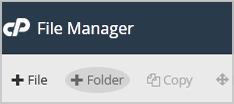
4. Click on the "+ Folder" Icon.

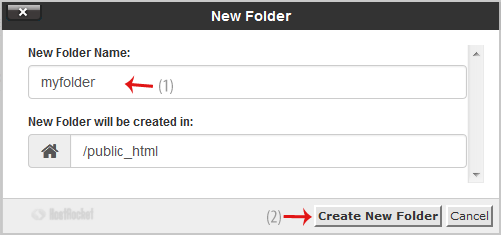
5. In the "New Folder Name" field enter your folder name like "myfolder" (without the quotes). Then click on the "Create New Folder" button.


How to create new file like myfile.txt?
1. Click on the "New File" Icon.
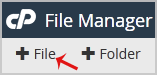

2. In the "New Filename Field" enter your filename like "MyFile.txt" (without the quotes). Then click on the "Create New File" button.

  • 0 Kunder som kunne bruge dette svar
Hjalp dette svar dig?

Relaterede artikler

How do I add an Addon Domain?

To add another domain to your hosting package, log into your cPanel account and click on the...

How to Change Language of your cPanel?

cPanel supports many languages, and if you want to change your cPanel language to your native...

How to edit or remove CNAME Record in cPanel using the DNS Zone Editor?

You can edit or remove CNAME Record from cPanel using the cPanel DNS Zone Editor which allows you...

How do I reset my control panel password?

If you need to reset your cPanel, and/or your DirectAdmin password, this can be done in your...

Accessing your cPanel/Control Panel

The easiest method to access your accounts cPanel is to first login to the client area here:...