How to edit or remove CNAME Record in cPanel using the DNS Zone Editor?


You can edit or remove CNAME Record from cPanel using the cPanel DNS Zone Editor which allows you to manage, remove or modify DNS records.


1. Log into your cPanel account. (eg: www.example.com/cPanel )
2. In the "Domains" section, click on the "Zone Editor" Icon.



Under "Domains", you can see many options below the "Actions" text.
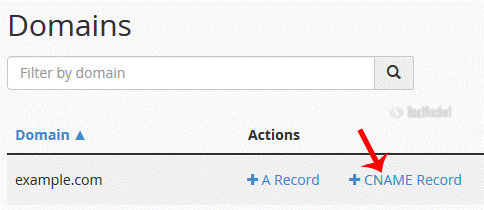


3. Click on "Manage" and the DNS records will be loaded on page.


4.
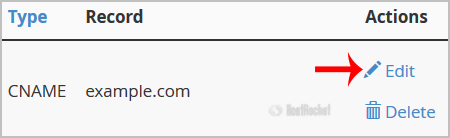
Locate CNAME Record you wish to edit or remove. Should you wish to edit a CNAME record, click the €œEdit€ option, modify the details and then click on €œSave Record€. Removing a record can be done with the €œDelete€ option.


Note: It may take anywhere from 12 to 24 hours for the changes to take effect worldwide.
  • 0 Usuários acharam útil
Esta resposta lhe foi útil?

Artigos Relacionados

How to edit or remove MX Record in cPanel using the DNS Zone Editor?

You can edit or remove MX Record from cPanel using the cPanel DNS Zone Editor which allows you to...

How to Change Language of your cPanel?

cPanel supports many languages, and if you want to change your cPanel language to your native...

How to add CNAME Record in cPanel using the DNS Zone Editor?

CNAME records are referred to as alias records since they map an alias to its canonical name. You...

How do I reset my control panel password?

If you need to reset your cPanel, and/or your DirectAdmin password, this can be done in your...

How do I create Subdomains?

To create a subdomain, log into your cPanel account and click on the Subdomains icon. Specify the...