
How do I access my email account using Webmail?

You can access your email account directly from Webmail.

If you're not the administrator of the account, you may need to ask the person administrating the account for the webmail link. For some domains, the 'webmail' subdomain may redirect to the webmail login page (i.e. webmail.example.com). If you know the name of your mail server, you can use https://mailroom.hostrocket.com:2096/ (replacing "mailroom.hostrocket.com" with your mail server's hostname) to access your login page.


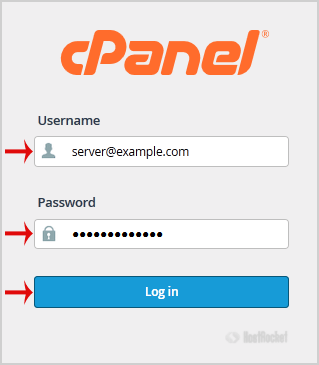
1. Enter your full email address and password and then press the "Login" button.

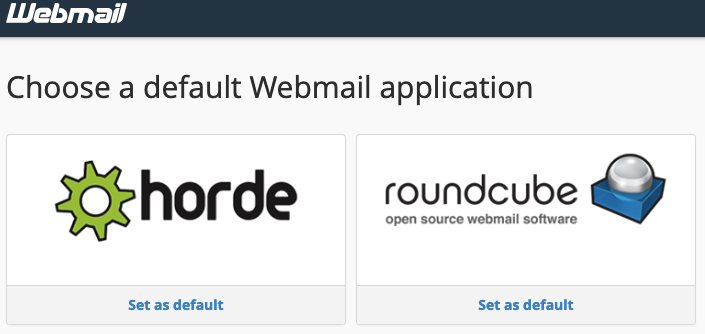
2. You will be redirected to the cPanel Webmail Page. If you have not set a default option already, click on any Webmail Email Reader "Horde"or "Roundcube".

Once your Webmail Email Reader opens, you will be able to read and send email for your account.
  • 2 Utenti hanno trovato utile questa risposta
Hai trovato utile questa risposta?

Articoli Correlati

What is a FCrDNS check?

A forward-confirmed reverse DNS check...

Can I host my email elsewhere?

Yes.To use a third-party email service provider, you will need to make a modification to the MX...

Spam Keywords and Phrases to Avoid in Email

#1 $$$ 100% Act now Action Additional income...

How to Create Account Level/Global Email Filter in cPanel to Fight Spam?

It's hard to completely stop spam e-mail but you can filter it, discard it, deliver it to...

Sync Sent Messages

Assuming you are using IMAP, you can Sync Sent Messages by following these instructions per...